 LazyClip
Everything you copy, on every computer you use.
LazyClip keeps what you copy on your Mac and your PC, and brings it back with one shortcut. Copy on one computer, paste on the other.
LazyClip is in private beta
It works every day on our own Macs and PCs, and it’s free while we finish it. We’re letting people in a few at a time: leave your email and we’ll send you an invite.
How it works
Press ⇧⌘V on a Mac, CtrlShiftV on Windows anywhere
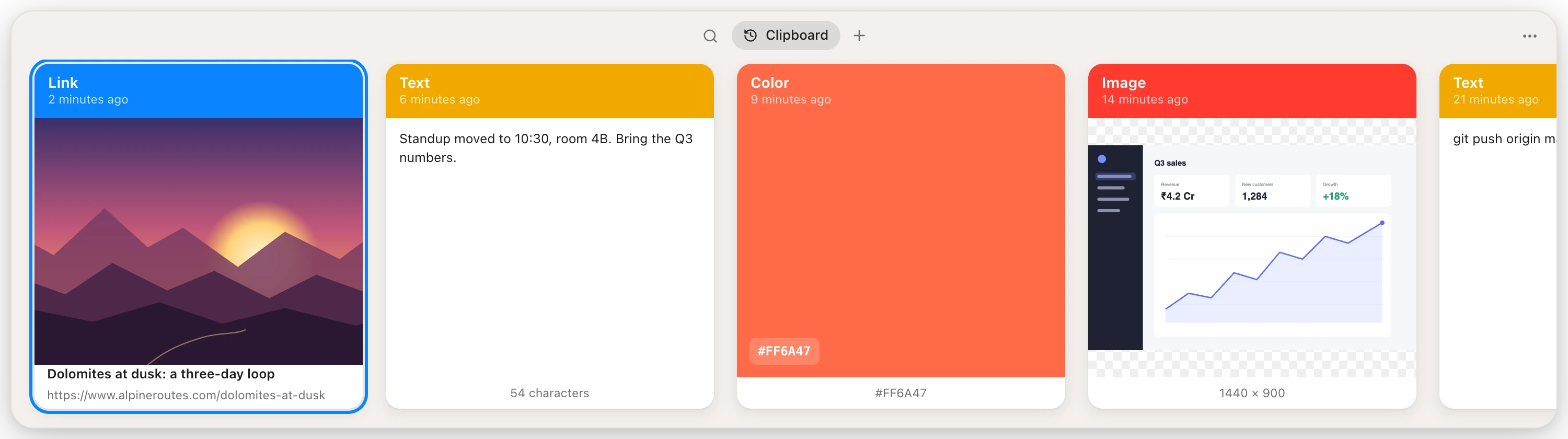
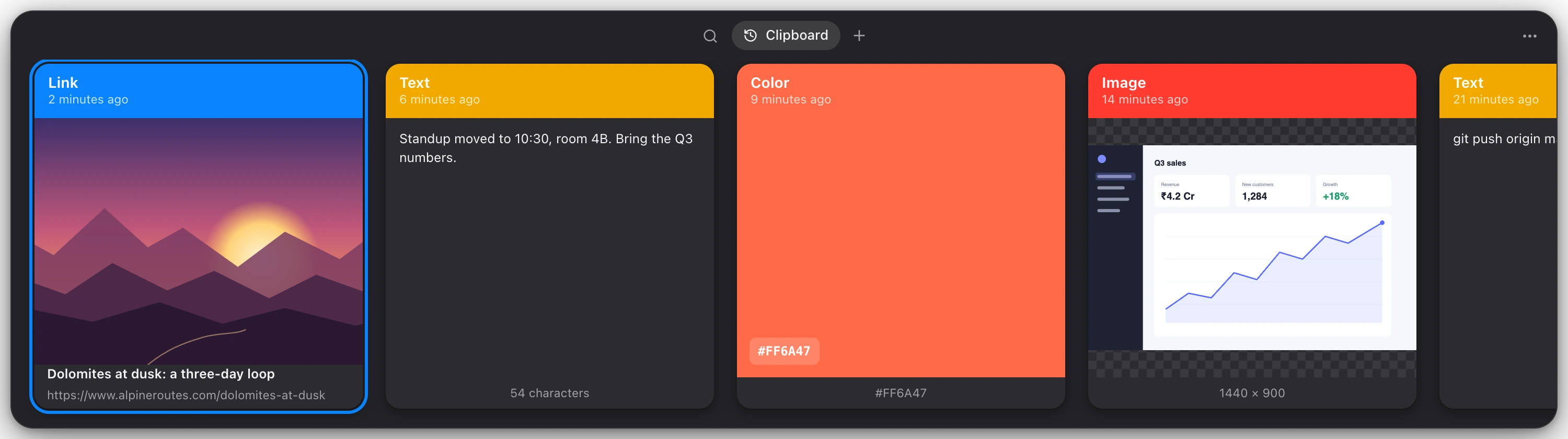
Your history slides up from the bottom of the screen you’re on, newest first: text, links with a picture of the page, colours, screenshots and files. Type to search, press Return to paste into the app you were using.
Not a fan of the shortcut? Set any key or combination you like in Settings.
Link your computers
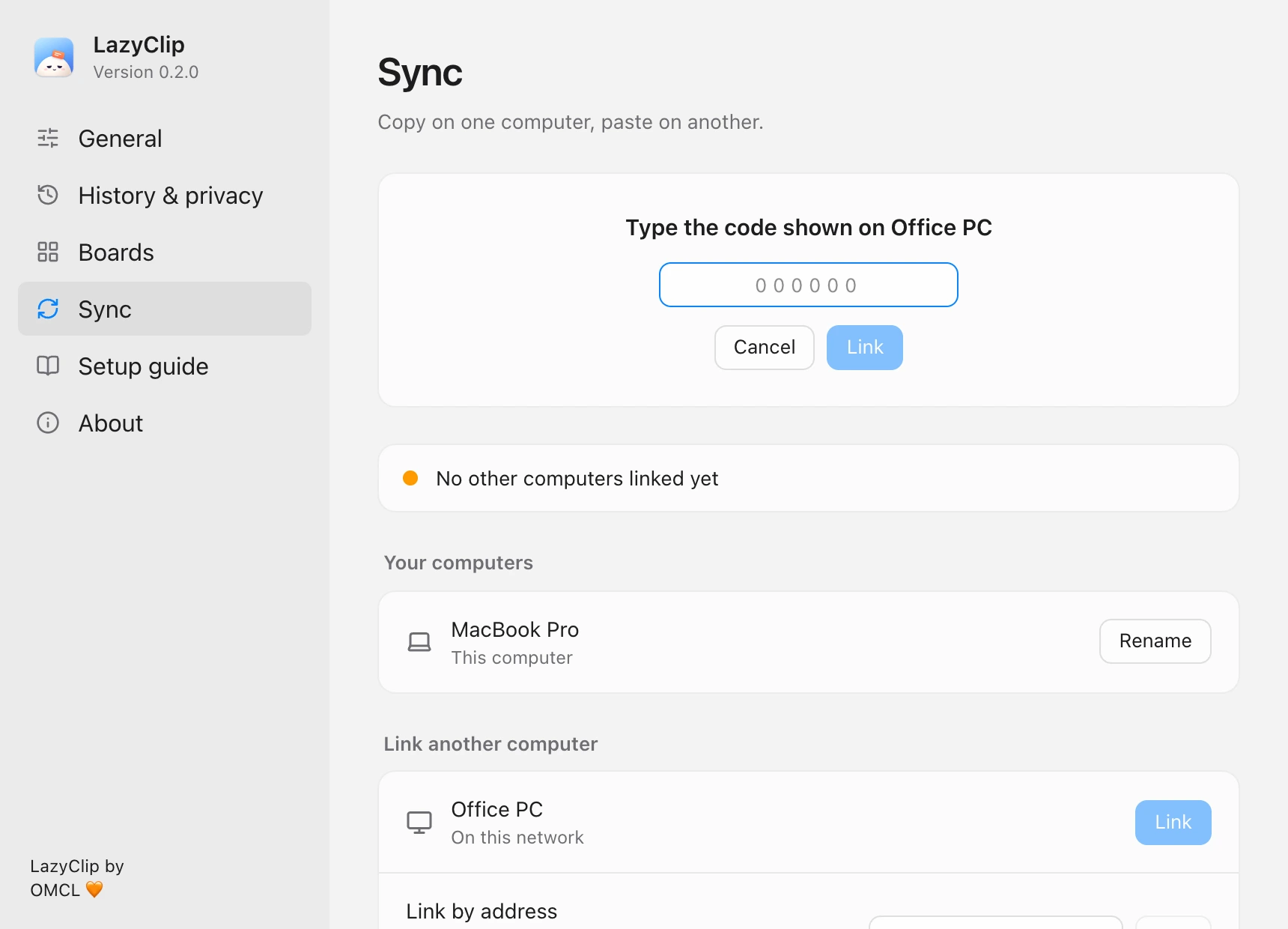
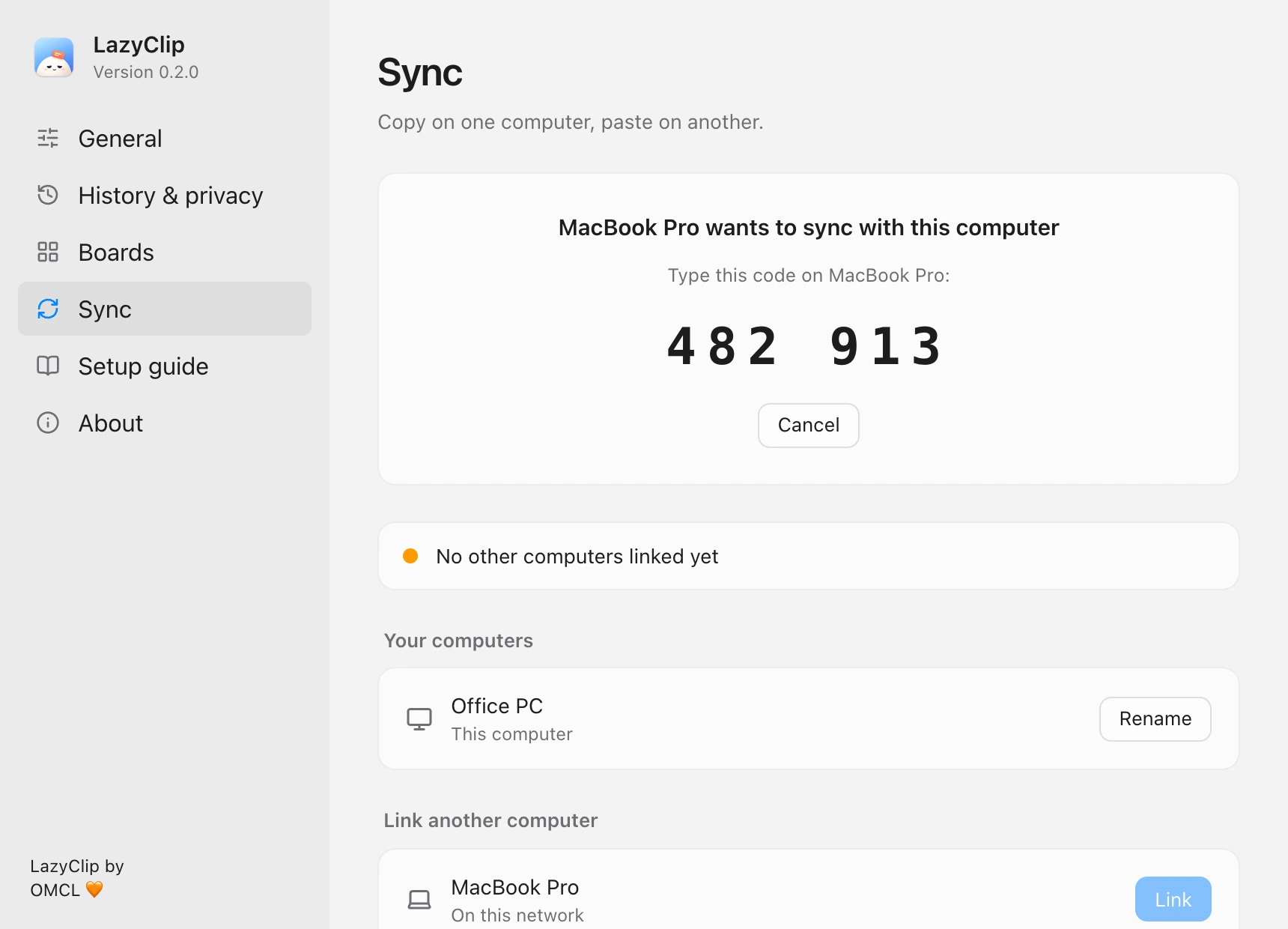
Turn on sync on both. They find each other on your network, or over a VPN like Tailscale. Click Link on one, and type the six-digit code the other one shows.
No account, no password, nothing stored online.
Copy on one, paste on the other
Whatever you copy is on your other computers a moment later, pictures of any size included, end-to-end encrypted on its way. Computers that were apart catch up the moment they meet again.


Stays on your computers
History lives on your own disk. Computers talk to each other directly, encrypted with a key only they have.
Keeps out of the way
No Dock icon, no window to keep open. Passwords copied from password managers are skipped.
Mac and PC alike
The same strip, the same shortcuts and the same history on macOS and Windows.
Download LazyClip
The first version is on its way. Leave your email above and we’ll tell you when it’s out.